
gpstimer uses a high-speed bluetooth GPS to provide precise vehicle timing data. Specifically, this app turns an NMEA data stream into a VBO file which can then be analyzed by a number of tools. We recommend, and integrate support for, uploading to vboxtools.com for analysis. Tests include 0-60 mph, 0-100 mph, 30-60 mph, 40-80 mph, 60-100 mph, 60-130 mph, 1/8 mile speed and time, and 1/4 mile speed and time.
Many people will ask, "can I just use the GPS in my phone?" No. It's too slow. Pretty much all phones and tablets update their GPS information 1 time per second. This is good enough to get you to Wal-Mart but not nearly good enough to get an accurate 0-60 time. We recommend the Garmin GLO as a high-speed (10Hz), high-accuracy, low-cost ($99) bluetooth GPS unit. This unit is very simple and has no display. You simply pair it with your Windows laptop or Android phone/tablet, and the gpstimer app will use this data to time your vehicle. No windshield mounting is required. You can have the GLO in one pocket and your smartphone in another for stealth recording. The GLO is about half the size of an iPhone.
But is the data accurate?? Well, check out this comparison data on the same car, same run between a Garmin GLO and a VBOX Sport.
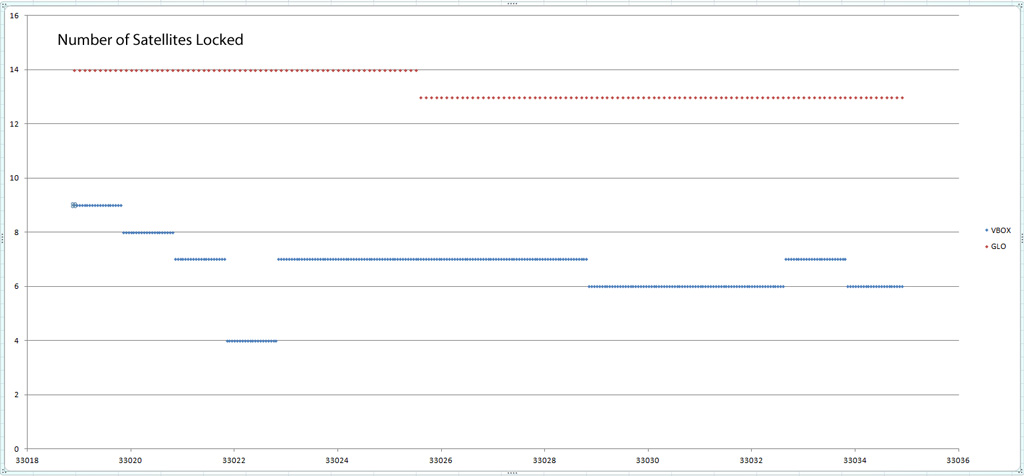
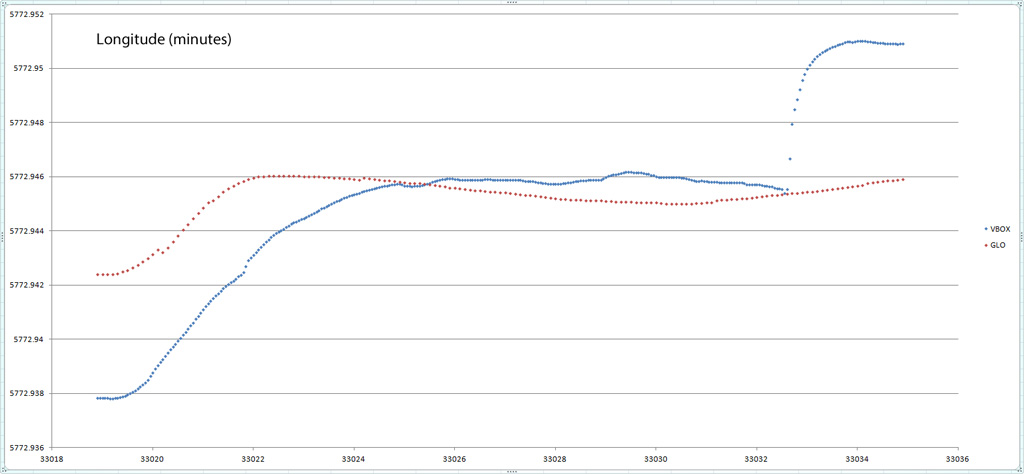
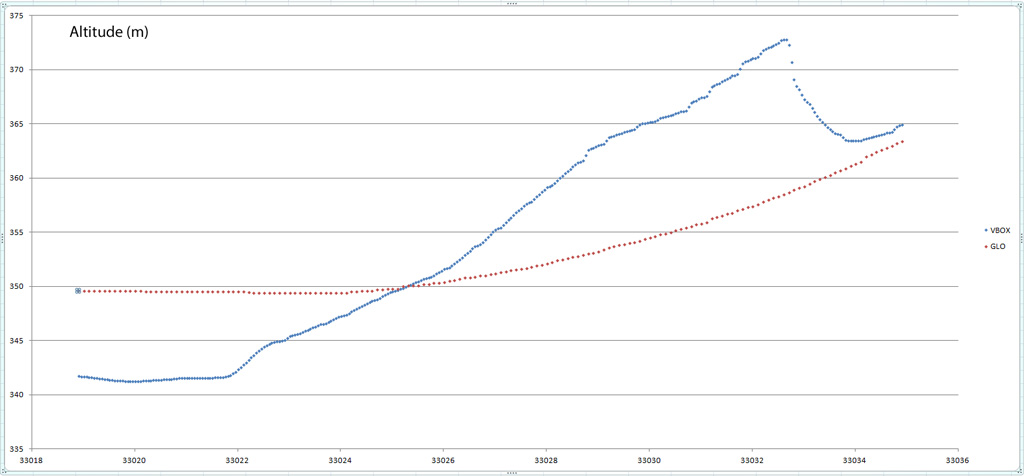
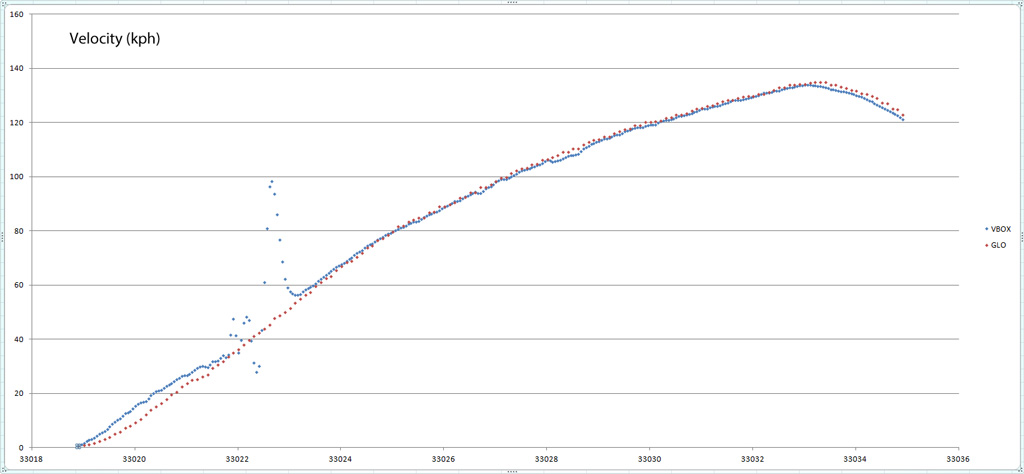
The X-axis in all graphs is UTC time as relayed directly by the satellite so it's possible to exactly match samples from both devices. First off we see that the GLO was able to lock many more satellites as compared to the VBOX. Secondly, we see that in cases where the data from the two differs significantly the VBOX seems to be the one with erratic results. Based on these findings I have to conclude the GLO is at least, if not more accurate than the VBOX. Velocity of course is the most important value for what we are trying to do and in this case we see the VBOX clearly had a hiccup midway through the run. This hiccup corresponds with the same time period where the VBOX lost its lock on several satellites, again bringing its accuracy into question.
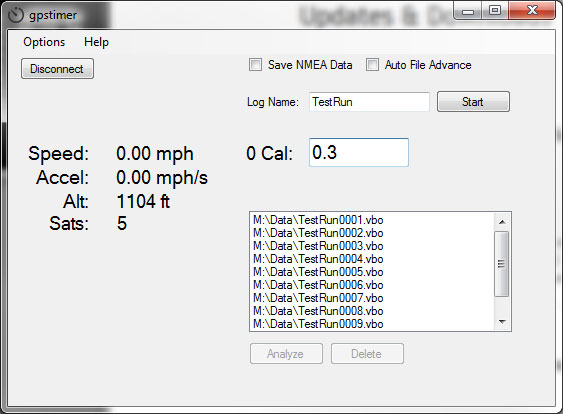
The app itself is pretty simple. Currently the Windows app supports a few extra bells and whistles than the Android app, but both allow for the same basic timing capabilities.
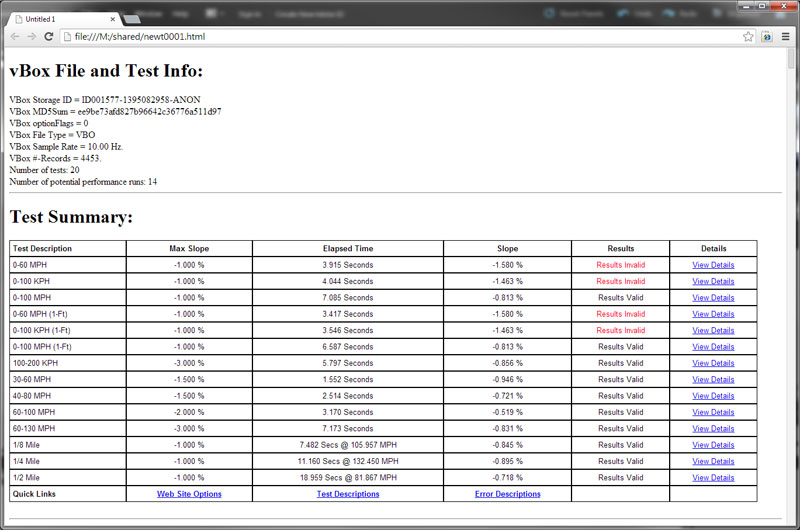
Once a file has been collected, the app can upload it to vboxtools.com for analysis. When the results come back they are displayed in your web browser. First you will see a summary of all the possible tests as well as a summary of the results. If you were going down a hill doing a 0-60 run, for example, the site will tell you this result is not valid.
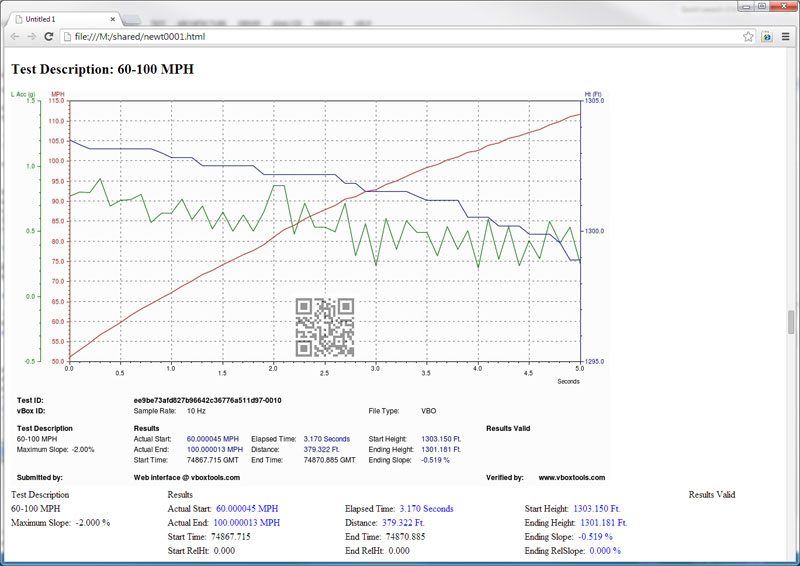
For each individual test you can get more detailed information as the following graph shows.
Ok, so where do I get it? Download it right here...
Android download Requires API Level 10 (Android v2.3.4) or higher